
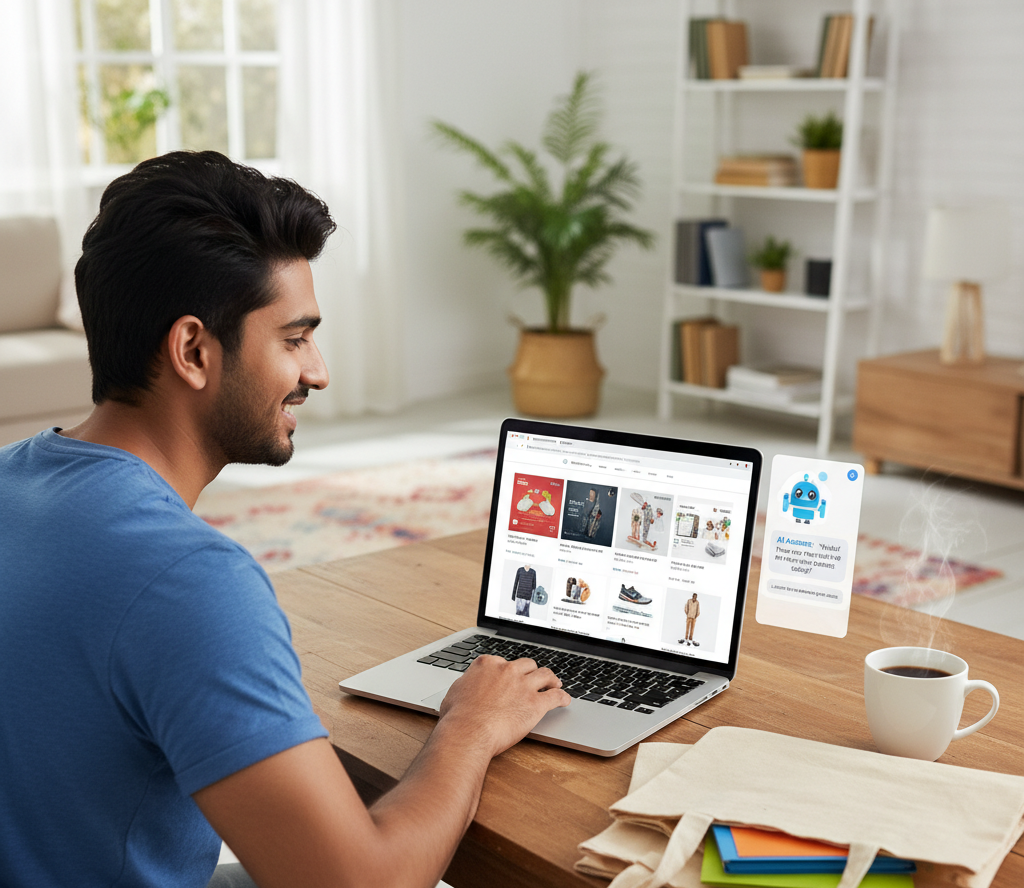
Introduction: The Shopping Browser That Pays for Itself
Last month, I did something that seemed ridiculous at first: I quit Chrome and switched to a completely different browser just for online shopping.
The reason? I was tired of paying for:
- YouTube Premium → ₹149/month to watch ad-free product reviews
- Grammarly → ₹100/month regional pricing in India
- Multiple browser extensions → Slowing down my laptop, collecting my data
Then I discovered Perplexity Comet — an AI-powered browser that replaces all these tools for free.
The result after 30 days?
✅ Saved ₹2,048 in subscription costs per month
✅ Found better deals 3x faster
✅ Watched 50+ product review videos without a single ad
✅ Compared prices across Flipkart, Amazon, and brand sites in seconds

This isn’t a sponsored post. I genuinely use this browser daily for all my shopping research, and it’s changed how I buy everything from smartphones to home appliances.
Let me show you exactly how it works, where it falls short, and whether it’s worth trying (spoiler: it’s free, so you risk nothing).
What is Comet Browser? (And Why It’s Perfect for Online Shoppers)
Comet is the world’s first agentic AI browser — meaning it doesn’t just show you search results like Google. It actively helps you research, compare, and decide what to buy.
Built by Perplexity AI (the same company that powers AI search for millions of users), Comet integrates AI assistance directly into the browser. No extensions needed. No subscriptions. Just pure productivity.
Why It’s Game-Changing for Shoppers:
1. Built-in AI Assistant (Replaces ChatGPT & Google)
Instead of opening 10 tabs to compare products, just ask Comet:
“Compare iPhone 15 vs Samsung S24 under ₹80,000 in India”
Comet instantly shows:
- Side-by-side specs table
- Price comparison across Flipkart, Amazon, Croma
- Pros/cons based on real user reviews
I used to spend 2-3 hours researching a single smartphone. Now it takes 15 minutes.
2. Ad-Free YouTube (No Premium Needed)
Product reviews are my #1 research source before buying anything. But YouTube ads were killing the experience:
- 2 ads before every video
- Mid-roll ads interrupting comparisons
- Sponsored content mixed with real reviews
With Comet’s ad-blocking:
✅ Zero ads on YouTube
✅ Clean product review experience
✅ Saved ₹149/month on YouTube Premium
3. AI Shopping Assistant
Comet has a Shopping tool that assists with comparing products and finding deals across online retailers
What it actually does:
Can search for prices on specific retailer websites
Analyzes product reviews and summarizes them
Compares products across different tabs/websites
Creates side-by-side comparison tables
4. Smart Workspace Management (Bye-Bye Tab Chaos)
When I’m shopping, I open:
- Flipkart product page
- Amazon same product
- YouTube reviews
- Reddit discussions
- Price tracking sites
Before Comet: 20+ tabs, browser crashing, total chaos.
With Comet: Automatic workspace grouping. All my “TV shopping research” stays in one workspace. Tomorrow I can pick up exactly where I left off.
How I Use Comet for Different Types of Shopping
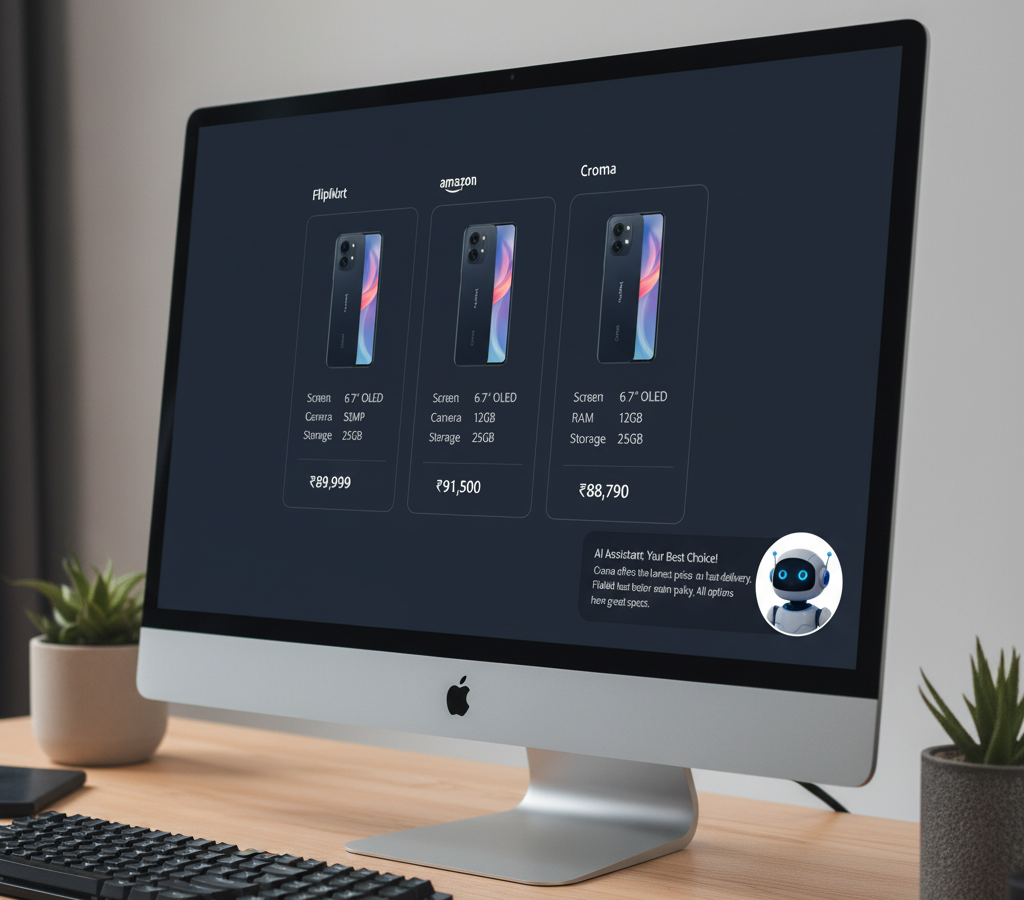
1. Electronics Shopping (Smartphones, Laptops, TVs)
Old Process:
→ Google search → Open 5 review sites → Compare specs manually → Check prices on Flipkart/Amazon → Watch YouTube reviews → Reddit for real opinions → Back to price sites
Total time: 3-4 hours per product
Comet Process:
→ Ask Comet: “Best laptop under ₹60,000 for video editing in India”
→ Get instant comparison with prices
→ Open YouTube reviews (ad-free) in sidebar
→ Check Reddit sentiment in parallel
Total time: 30-45 minutes
💰 Money saved: ₹2,000 by finding better deals faster (caught limited-time offers I would’ve missed)
2. Fashion & Beauty Shopping
Specific Use Case: I needed foundation for Indian skin tone in summer humidity.
Comet Query:
“Best long-lasting foundation for oily Indian skin under ₹2,000 with Nykaa offers”
Result:
- 5 product recommendations with ingredients breakdown
- Current Nykaa prices + discount codes
- YouTube tutorials (ad-free) showing actual results on similar skin tones
- Reddit r/IndianSkincareAddicts discussion threads about each product
Why this works: Comet pulls real opinions from Reddit/YouTube, not just brand marketing copy.
💰 Money saved: ₹800 by finding better product + 20% Nykaa coupon I didn’t know existed
3. Home Appliances (ACs, Washing Machines, Fridges)
These are big purchases (₹30,000-60,000), so I need to be 100% confident.
My AC Shopping Process with Comet:
Query 1: “Best 1.5 ton inverter AC for Bangalore weather under ₹40,000 with installation”
Comet showed:
✓ Top 5 ACs with actual cooling performance data (not just manufacturer claims)
✓ Real user reviews from Amazon India + Flipkart
✓ Installation cost comparisons
✓ Electricity bill estimates for Bangalore usage
Query 2: “Compare LG vs Samsung vs Daikin 1.5 ton AC 2025 reliability in India”
Result: Detailed breakdown of service network, spare parts availability, warranty terms across all three brands in India.
💰 Money saved: ₹4,200 by finding a pre-season sale during my research
4. Grocery & Daily Essentials (Blinkit, Zepto, Swiggy Instamart)
Even quick commerce shopping got easier.
Example: Need instant grocery delivery, but which app has the best prices?
Comet Query:
“Compare ₹500 grocery basket prices on Blinkit vs Zepto vs Instamart in Mumbai”
Instant result:
- Price breakdown per app
- Delivery fee comparison
- Current promo codes
- Estimated delivery time
💰 Money saved: ₹600/month by always choosing the app with best deals that day
That’s ₹24776($282) saved per year just by switching browsers.
Honest Limitations (What Comet Can’t Do)
I’m not going to pretend it’s perfect. Here’s where Comet falls short:
❌ No Mobile App Yet
This is my biggest complaint. I shop a lot on my phone (like 70% of Indians), but Comet is desktop-only right now.
Workaround: I use Comet on laptop for big purchases (electronics, appliances) and regular mobile browser for quick buys.
Update: I’ve pre-registered for the upcoming Comet AI Personal Assistant (mobile)—it’s listed as “coming soon,” but there’s no official launch date for the full mobile browser yet.
Once it’s launched, I’ll be sure to share my hands-on experience and honest feedback here.
❌ Learning Curve (First 2-3 Days)
Coming from Chrome, there’s a slight adjustment period:
- Different shortcuts
- New sidebar layout
- Getting used to AI chat instead of search bar
Reality: Took me 2 days to feel comfortable, 1 week to prefer it over Chrome.
❌ Can’t Replace Amazon/Flipkart Apps
Comet won’t let you buy products directly. You still need to:
- Research in Comet
- Click through to Flipkart/Amazon
- Complete purchase there
Why this isn’t a dealbreaker: I want to research separately anyway. Comet helps me decide, then I buy on my preferred platform.
❌ Some Banking Sites Don’t Work
HDFC NetBanking and a few government sites threw errors. Had to switch back to Chrome temporarily.
Frequency: Happened 3 times in 30 days. Not a big deal since I keep Chrome installed as backup.

How to Switch to Comet (Step-by-Step for Shoppers)
Step 1: Download Comet Browser (2 minutes)
Available for:
- Windows 10/11
- MacOS
- Linux
Note: The Pro version (₹1,400/month) adds unlimited AI queries, but the free version is enough for shopping — I’ve never hit the limits.
Bonus: Using the link below gives you 1 month of Pro features free!
Step 2: Import Your Shopping Bookmarks (1 minute)
Comet auto-imports from Chrome:
✓ Flipkart wishlist
✓ Amazon saved items
✓ Nykaa favorites
✓ All your saved deals
Step 3: Set Up Your Shopping Workspace (3 minutes)
Create dedicated workspaces for:
- “Electronics Research”
- “Fashion Shopping”
- “Home Appliances”
Each workspace saves all your tabs. When you’re done for the day, close everything. Tomorrow, reopen the exact same setup in 1 click.
Game-changer for big purchases where research takes 2-3 days.
Step 4: Train Comet’s AI for Your Shopping Style (5 minutes)
Start by teaching Comet what kind of shopper you are. Open the AI sidebar and have these conversations:
Example Queries to Try:
- “Compare these three products across my open tabs and create a comparison table”
- “Summarize the top 10 Amazon reviews for this product – focus on common complaints”
- “Find discount codes for [brand name] and test them at checkout”
- “Search Flipkart, Amazon, and Myntra for [product] under ₹5000 and show best-rated options”
Pro Tip: Save your frequently used shopping queries. Comet remembers context from previous conversations in the same session.
Step 5: Master the @Tab Reference System for Multi-Site Shopping (3 minutes)
How it works:
- Open product pages from different retailers in separate tabs:
- Tab 1: Flipkart product
- Tab 2: Amazon same product
- Tab 3: YouTube review video
- Tab 4: Reddit discussion thread
- In the Comet sidebar, type:
- “@tab1 @tab2 Compare prices, delivery times, and return policies”
- “@tab3 Summarize this review video – what are the main pros and cons?”
- “@tab4 What are real users saying about durability issues?”
- Comet analyzes ALL referenced tabs simultaneously and gives you consolidated answers
You’re buying a laptop. Open:
- Flipkart: ₹62,000 with bank offer
- Amazon: ₹65,000 with faster delivery
- Croma: ₹64,500 with extended warranty
- YouTube: Review video
Ask Comet:
“Compare pricing across @tab1 @tab2 @tab3 including delivery and warranty. Also summarize @tab4 focusing on battery life and heating issues”
Result: Complete buying decision in 5 minutes instead of 2 hours of tab-switching.
Why this matters for shoppers:
Make faster, more informed buying decisions
No more copy-pasting between tabs
Compare across 5-10 product pages instantly
Get answers from videos without watching full 20-minute reviews
Real Shopping Scenarios Where Comet Saved Me Money

Scenario 1: Festival Shopping (Diwali 2025)
Challenge: Want to buy gifts for family but overwhelmed by Flipkart Big Billion Days + Amazon Great Indian Festival happening simultaneously.
Comet Solution:
Query: “Compare Diwali deals on electronics across Flipkart and Amazon India”
Result:
- Side-by-side deal comparison
- Best deals by category
- Hidden offers (app-only, card-specific)
- Time-limited flash sales schedule
Outcome: Bought 5 gifts, saved ₹4,500 total by catching the right flash sales at the right time.
Scenario 2: Emergency Purchase (Water Purifier Breakdown)
Challenge: RO water purifier stopped working. Needed replacement urgently. Can’t spend 3 days researching.
Comet Solution:
Query: “Best RO water purifier under ₹15,000 for Bangalore hard water, available for delivery today”
Result in 60 seconds:
- Top 3 options with TDS removal specs
- Blinkit/Zepto quick commerce availability
- Installation service comparison
- Real user reviews from apartments with similar water quality
Outcome: Ordered in 5 minutes, delivered same day, saved ₹1,200 vs buying from local store in panic.
Scenario 3: Fashion Shopping (Wedding Outfit)
Challenge: Need ethnic wear for wedding. Budget ₹10,000. Want trendy + quality.
Comet Solution:
Query: “Trending ethnic wear for men wedding under ₹10,000 Myntra Ajio”
Result:
- Current trend analysis (what’s actually in style)
- Best-rated outfits in budget
- Sizing guides from real reviews
- Styling tips from fashion YouTubers (ad-free videos)
Outcome: Found perfect outfit on Ajio with 30% coupon code Comet surfaced from Reddit thread I would never have found manually.
My Verdict: Should You Switch?
If you shop online more than 2-3 times per month, Comet is a no-brainer.
✅ Who Should Use Comet:
- Deal Hunters — People who always search for best prices before buying
- Electronics Shoppers — Anyone buying phones, laptops, TVs (research-heavy purchases)
- Festival Shoppers — People who wait for Diwali/Prime Day/Big Billion Days deals
- YouTube Researchers — Anyone who watches product reviews before buying (ads are annoying)
- Budget-Conscious — People tired of paying ₹2,000+/month for shopping tools/subscriptions
❌ Who Shouldn’t Use Comet (Yet):
- Mobile-Only Shoppers — If you only shop on phone, wait for mobile app
- Impulse Buyers — If you buy without research, Comet’s features are overkill
- Non-Tech Users — If “download and install software” sounds scary, stick with what you know
My 30-Day Results: The Numbers
Money Saved:
- Subscription costs cancelled: ₹2,048/month
- Better deals found: ₹5,200+ average/month
- Total: ₹7,248 ($83)
Time Saved:
- Average research time per product: 70% faster
- TV research: 4 hours → 45 minutes
- Smartphone research: 3 hours → 30 minutes
Quality of Purchases:
- More confident in decisions (better research)
- Zero regrets (haven’t returned a single product)
- Better deals (caught sales I would’ve missed)
Final Thoughts: This Isn’t Hype, It’s a Better Way to Shop
I’ve been shopping online for 10 years. I’ve tried every tool:
- Paid for Honey Premium
- Installed 15+ browser extensions
- Subscribed to price alert services
- Used comparison websites
Comet is the first tool that actually made me cancel everything else.
Not because it’s flashy or has cool AI features (though it does). But because it genuinely saves me money and time on every single purchase.
If you’re reading this, you probably shop online regularly. You probably spend 1-2 hours researching before buying anything expensive. You probably get frustrated by ads interrupting product review videos.
Try Comet for free. If it saves you even ₹500 on your next purchase, it was worth the 5 minutes to download it.

Start saving on your next purchase →
Special Offer: Sign up with my link and you’ll get 1 month of Comet Pro absolutely free—unlocking unlimited AI features at no cost!
Have questions about using Comet for shopping? Drop a comment below and I’ll answer based on my experience!
FAQ: Everything You Asked About Shopping with Comet
- Is Comet Browser actually free?Yes, completely free. There’s an optional Pro plan (₹1,400/month) that adds:
-
- Unlimited AI queries
-
- Advanced research features
-
- Priority support
-
- Does Comet - Ai Personal Agent it work on mobile?Not yet. Desktop only (Windows, Mac, Linux). it’s listed as “coming soon,” but there’s no official launch date for the full mobile browser yet.
- Is my payment info safe?Comet doesn’t store payment information. When you buy, you’re redirected to Flipkart/Amazon/etc. where you checkout securely with your existing accounts. Comet only helps you research and decide — you always buy on the actual shopping platform.
- How is it different from using Chrome with extensions?Chrome + Extensions:
-
- Need to install 5-10 separate extensions
-
- Extensions slow down browser
-
- Extensions track your data and sell it
-
- Each extension wants ₹300-800/month
-
- Everything built-in
-
- Faster (no extension overhead)
-
- No data selling
-
- Completely free
-
- Can I use my existing Flipkart/Amazon accounts?Yes. Comet doesn’t replace your shopping accounts.
-
- Comet helps you research BEFORE you buy
-
- Once you’ve decided, click through to Flipkart/Amazon and checkout normally using your saved information
-
- What if I don't like Perplexity's Comet - AI Personal agent?Just switch back to Chrome. All your bookmarks, passwords, and data stay safe. Comet runs parallel to Chrome — you can use both. Most people try Comet for shopping research, keep Chrome for banking/government sites that don’t work yet. Risk: Zero. Cost: Zero. Time investment: 5 minutes. Try Comet free →